Language Server
alphaTab provides an alphaTex language server via the NPM package @coderline/alphatab-language-server.
The language server is written in TypeScript and made available as JavaScript executable.
[!INFO] To learn more about Language Servers and the Language Server Protocol head over to the website of Microsoft: https://microsoft.github.io/language-server-protocol/
The language server is implemented using vscode-languageserver-node providing a base framework for creating language servers running in Node.js and in Browsers.
Below you can find a description of the individual features provided by the language server and package.
Diagnostics
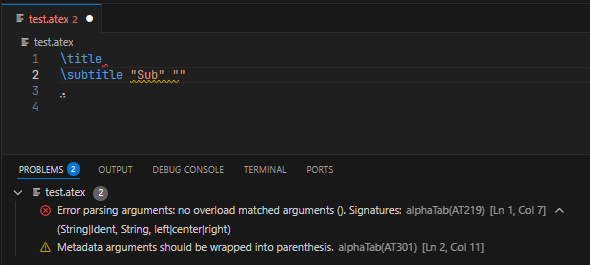
The core feature of the language server is to listen for document changes and parse the code of the documents.
The language server provides Pull Diagnostics but will not Publish Diagnostics.
Code Completions
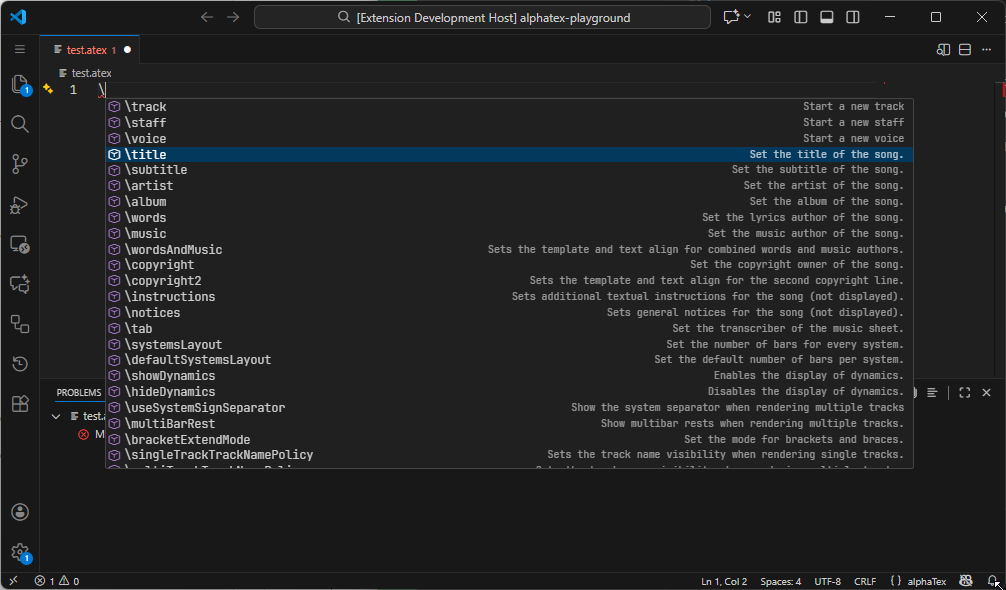
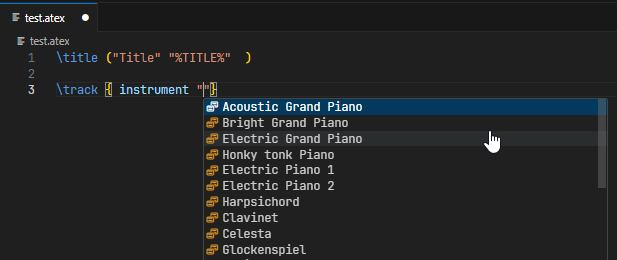
The language server will provide contextual code completions. This includes but is not limited to:
- Available Metadata Tags
- Available Properties
- Available Values (e.g. for enums)

Documentation Hovers
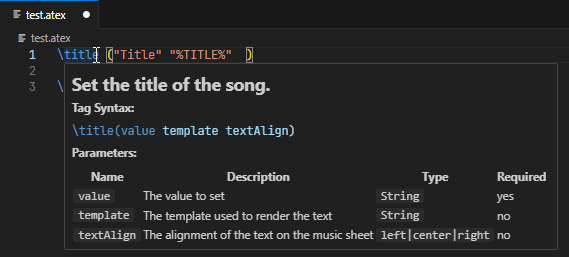
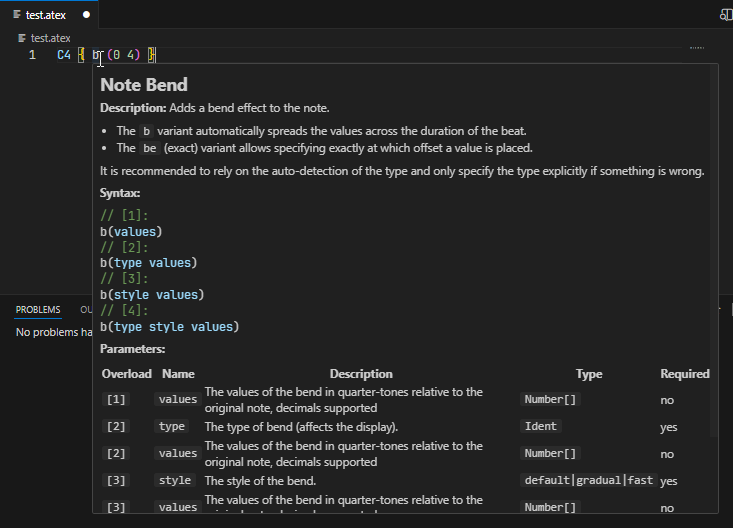
For every documented element, the language server will also provide documentation hovers. Similar to when you write documentation comments in your programming language, the editor will show descriptions when hovering the elements. No need to exit your editor to lookup the help of alphaTex, it is right there where you need it.
Signature Help
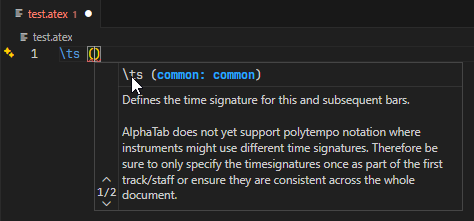
When passing arguments to metadata tags and properties the language server will provide a signature help to provide addtional guidance on what parameters and values exist:

alphaTex language definition
TextMate Grammar
To support syntax highlighting in VS Code and Monaco (and other compatible editors) the package also provides a basic TextMate grammar for the alphaTex syntax. The grammar is provided as JavaScript object and can be dumped into a JSON or passed directly to compatible components.
import { textMateGrammar } from '@coderline/alphatab-language-server';
import fs from 'node:fs';

await fs.promises.writeFile('alphatex.tmLanguage.json', JSON.stringify(textMateGrammar, null, 2));
Language Configuration
Similar to the TextMate grammar the package also provides a language configuration providing details about comments, brackets etc.
import { languageConfiguration } from '@coderline/alphatab-language-server';
import fs from 'node:fs';

await fs.promises.writeFile('language-configuration.json', JSON.stringify(languageConfiguration, null, 2));
Documentation
The package also provides raw access to all alphaTex language elements. These definitions are internally to provide documentation hovers but we also use them to generate language reference pages you can find in the sidemenu.
import { documentation } from '@coderline/alphatab-language-server'

const tupletProperty = documentation.beatProperties.get('tu');